Receiving and picking
Receive deliveries, reserve goods and confirm their physical dispatch.
Catalogue, reservations, stocktakes and picking in one local system.
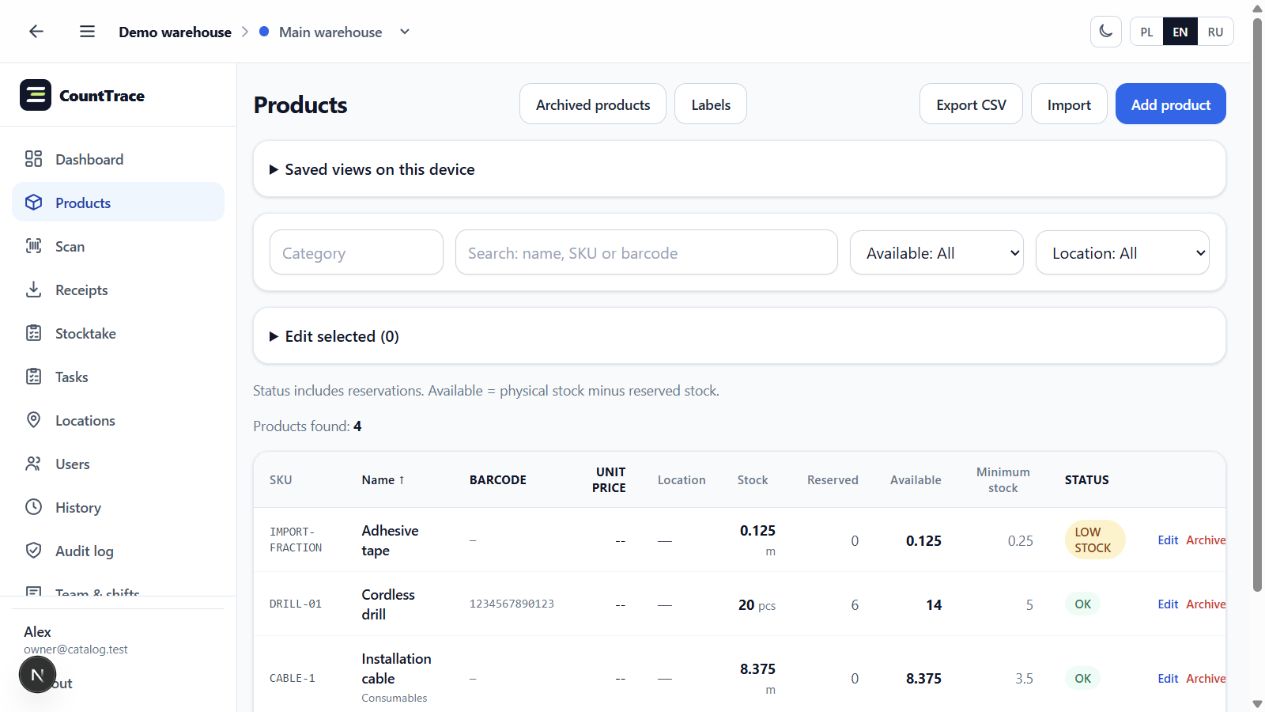
Actual app screens in English with sample data. The interface is available in English, Polish and Russian.
Receive deliveries, reserve goods and confirm their physical dispatch.
Count the whole warehouse or one location. Stock changes after approval.
Print product barcodes and location labels directly from the catalogue.
Automatic local backups and restoration help keep your data under your control.
No cloud between your worker and your warehouse. Every operation goes straight to the company PC.
A Windows PC stores the data and serves devices on the local network.
A phone or professional scanner identifies the item and offers IN or OUT.
The PC and other devices immediately see the new quantity and who changed it.
Core warehouse work does not depend on the internet or an external cloud.
Pair a phone with the PC and turn it into a simple barcode scanner.
See who moved what, when it happened and which warehouse was involved.
PCs, phones and scanners work with the same up-to-date database.
Owners, managers and workers only see the tools required for their jobs.
Move an existing product list into CountTrace from Excel or CSV.